
The AI sidebar: Chat and Code Review tabs, credits per mode, chat export and assistant status.
Goki Assistant (AI Assistant)
Goki Assistant is the "right sidebar" of the IDE: a virtual pair programmer that reads your code and helps you write, fix, explain and review it.
Icon: 🤖 (Bot) on the Header — shortcut Ctrl/Cmd + /.
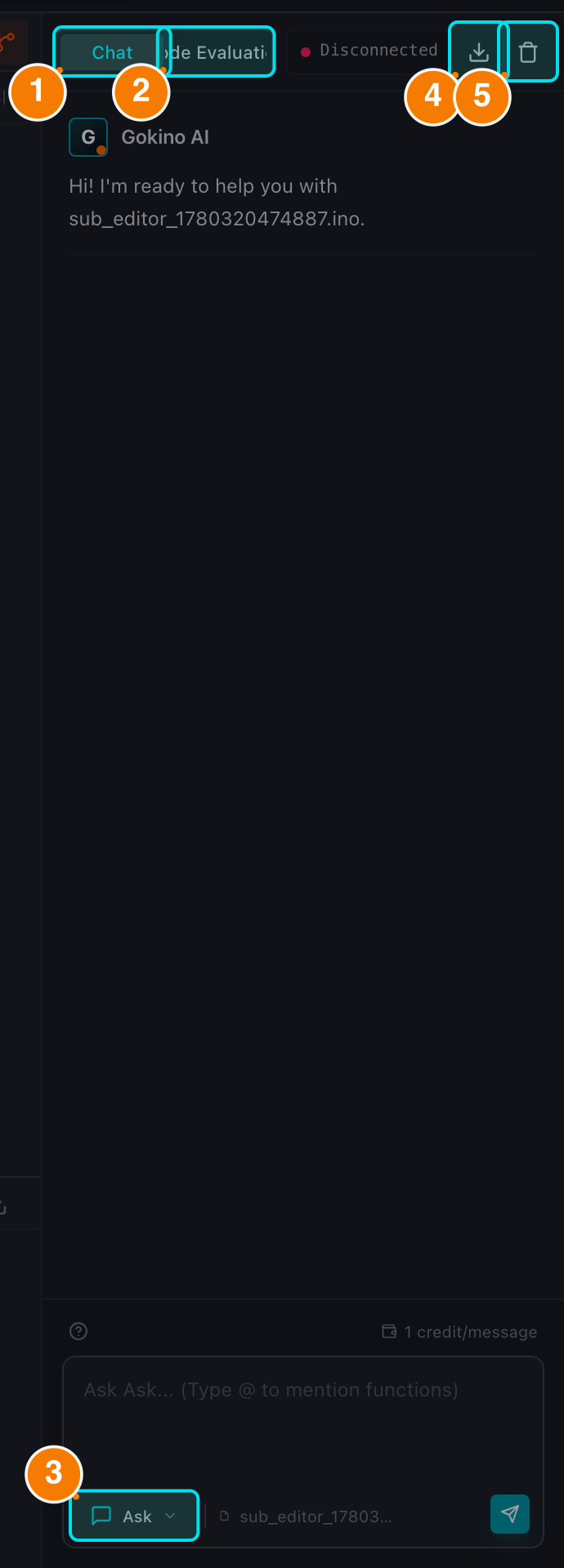
(1) Chat tab. (2) Review tab. (3) Mode selector. (4) Export chat. (5) Clear chat.
Interface Overview
Goki Assistant has 2 main tabs:
- Chat
- Context-aware conversation about the file you are editing.
- 3 selectable modes: Code, Architect and Ask (Ask is the default). A Debug mode is used automatically by Fix with AI from the Console.
- 7 slash commands:
/fix,/explain,/refactor,/test,/wiring,/comment,/simulate. - @ Mention: type
@to reference a function from the open file. - Per-file chat history; scroll up to load older messages.
- Export Chat: the Download button in the header exports the conversation to Markdown.
- Clear Chat: the trash button clears the current file's conversation after a confirmation.
- Review (Code Review)
- 4 sub-tabs: Summary, Issues, Suggestions and History.
- Quality score (0–100), RAM/Flash memory estimate, findings grouped by category and severity, and before/after suggestions you can apply individually or with Apply All.
- 3 review depths: Quick, Standard and Detailed.
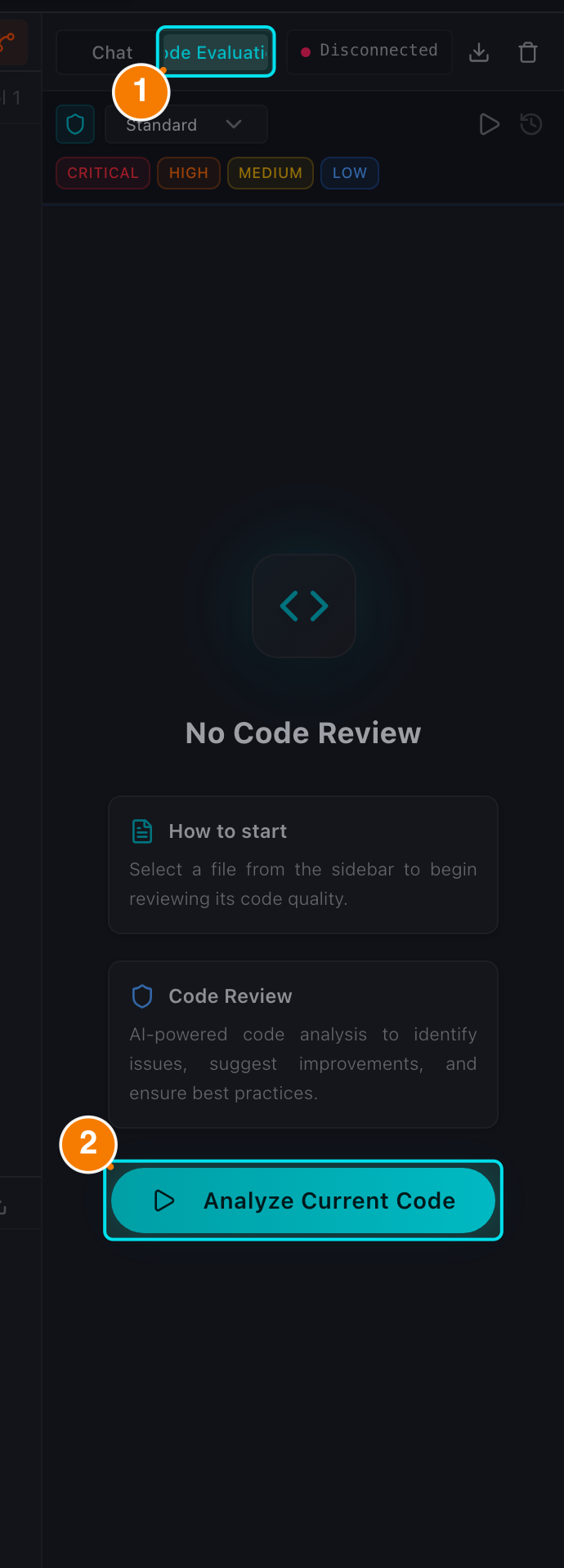
(1) Review tab. (2) Analyze the current file.
Key Features
- Context awareness: the assistant automatically reads the active file and updates when you switch tabs.
- Safe code application: nothing is written to your file silently. Every change goes through a diff preview, and localized fixes use Smart Patch (⚡) so the rest of the file is preserved.
- Snippet protection: AI code blocks marked as snippets (
cppfix) are copy-only — they cannot overwrite the whole file. - RAG suggestions: the assistant retrieves similar code from your workspace (hybrid keyword + semantic search) to ground its answers.
- Streaming with Stop: responses appear word by word and can be interrupted at any time.
- Stream interruption guard: if you switch files while the AI is answering, a dialog asks whether to stop the answer and move on.
- Thinking models: when a reasoning model is selected, the "thinking process" appears in a collapsible block above the answer.
- Retry on failure: if the provider fails (502/503/429/timeout), the message shows a red error with a Retry button that resends the same prompt.
- Local privacy consent: when the active file is in a Local folder, a privacy panel appears and local code is only indexed for the cloud after you explicitly opt in.
- AI Status: a button in the assistant header shows the response time and online/offline state; click it for endpoint and API details.
Credit Cost
- Chat in Code / Ask / Debug mode: 1 credit per message.
- Architect mode: 2 credits per message.
- Code Review: 2 credits per run.