
Compare Free, Lite, Pro and Max plans, buy top-ups, redeem gift cards and track AI and compile costs.
Plan & Credit Management
Gokino uses a credit system for AI requests and for cloud compilations beyond the free hourly quota. The Header shows your balance at all times.
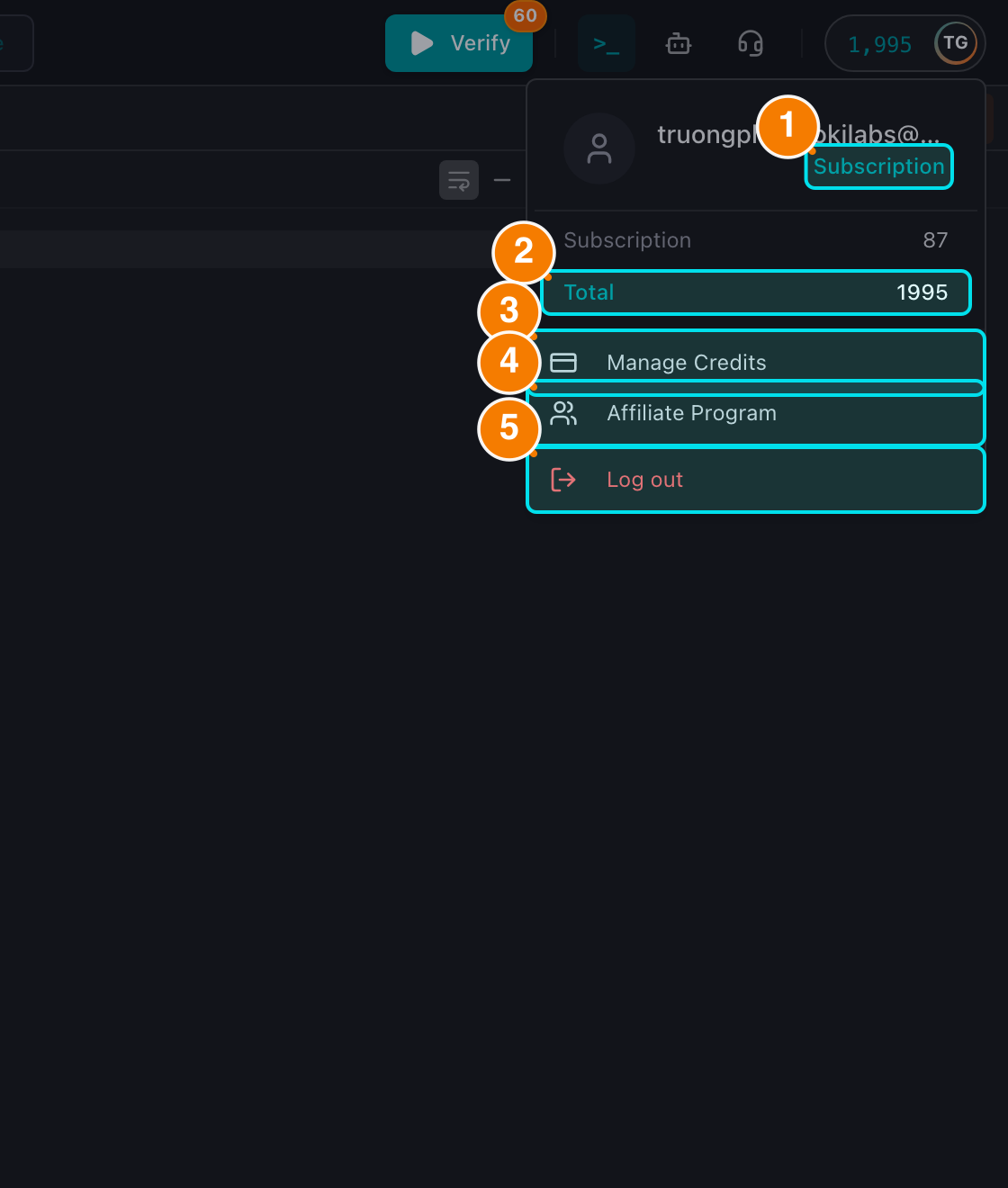
(1) Current plan. (2) Credit balance. (3) Manage Credits. (4) Affiliate Program. (5) Logout.
1. Check Your Balance
In the top-right corner (avatar menu) you will see your current credit balance.
- Quick view: the avatar shows the color-coded balance (green = sufficient, yellow = running low, red = empty).
- Detailed view: open the avatar menu to see your email, current plan and the credit breakdown — Subscription, Bonus and Total.
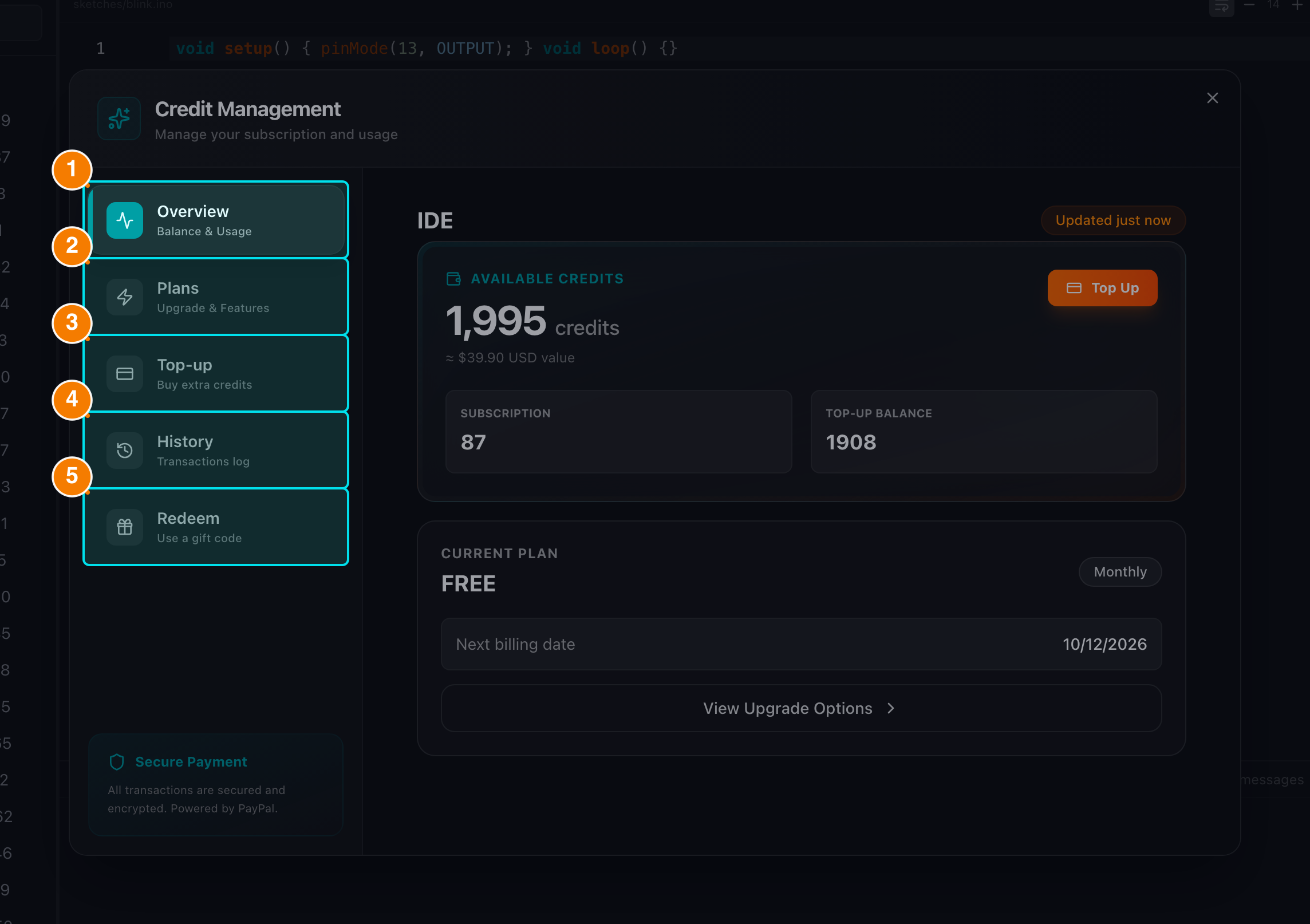
(1) Overview. (2) Plans. (3) Top-up. (4) History. (5) Redeem.
2. Manage Plans & Top-up
Click Manage Credits in the avatar menu to open the Credit window. It has five tabs: Overview, Plans, Top-up, History and Redeem.
Subscription Plans
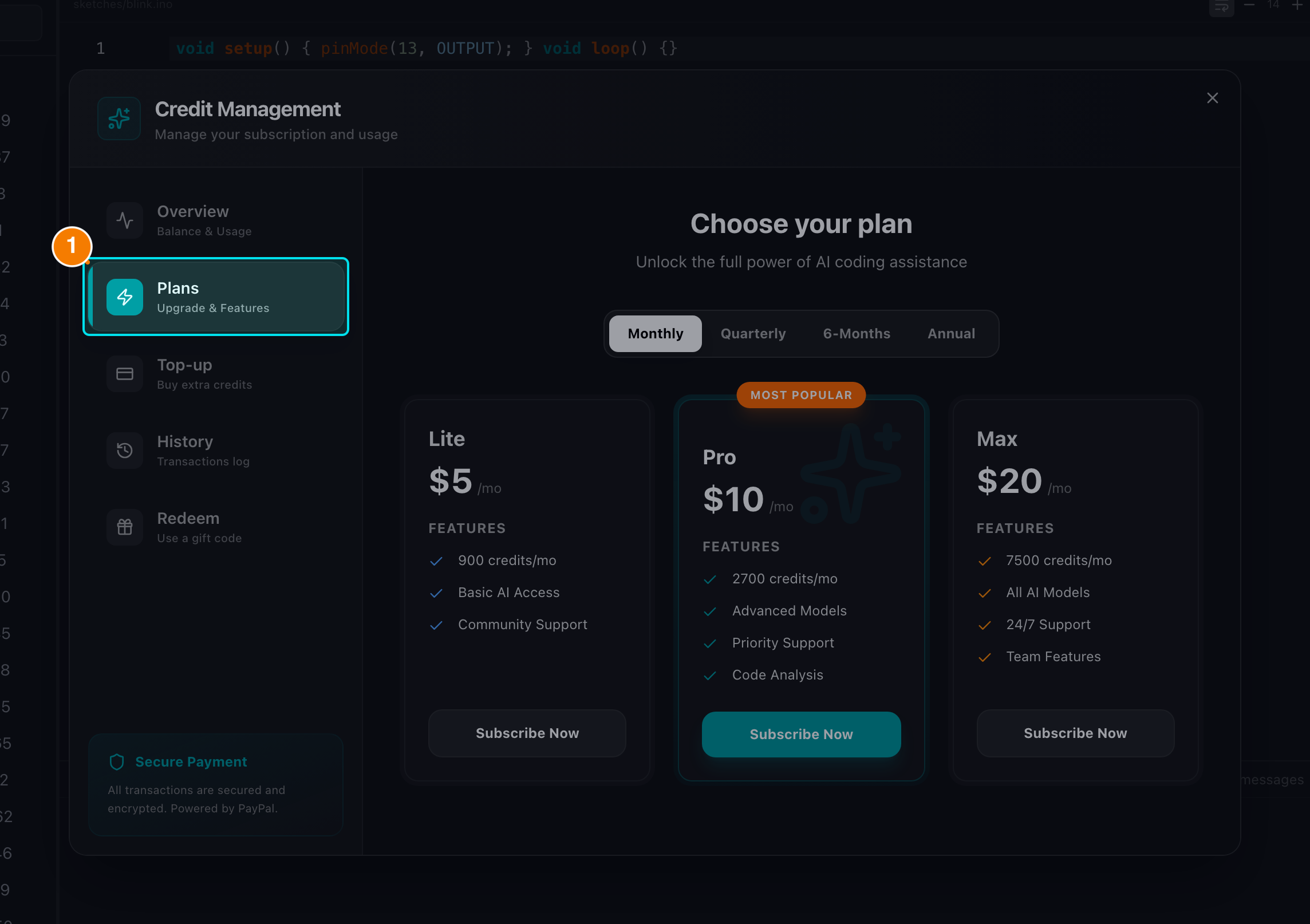
The Plans tab lists Lite, Pro and Max with monthly, quarterly, semi-annual and annual billing cycles.
| Plan | Price/month | Credits/month | Free compiles/hour |
|---|---|---|---|
| Free (default) | $0 | Initial signup grant (300 credits by default) | 60 |
| Lite | $5 | 300 | 60 |
| Pro ⭐ (most popular) | $10 | 900 | 120 |
| Max | $20 | 2500 | 240 |
The Plans tab displays the three paid plans (Lite / Pro / Max). Free is the default tier created at registration — no purchase required.
Billing cycles: every paid plan can be purchased Monthly, Quarterly, Semi-Annually or Annually, with a discount on longer cycles:
| Plan | Monthly | Quarterly | Semi-Annual | Annual |
|---|---|---|---|---|
| Lite | $5 | $13.50 | $25 | $50 |
| Pro | $10 | $27 | $50 | $100 |
| Max | $20 | $54 | $100 | $200 |
Payments are handled securely by PayPal. Clicking a plan creates the subscription/order and redirects you to PayPal's approval page; when you return, your plan and credits are updated.
Top-up
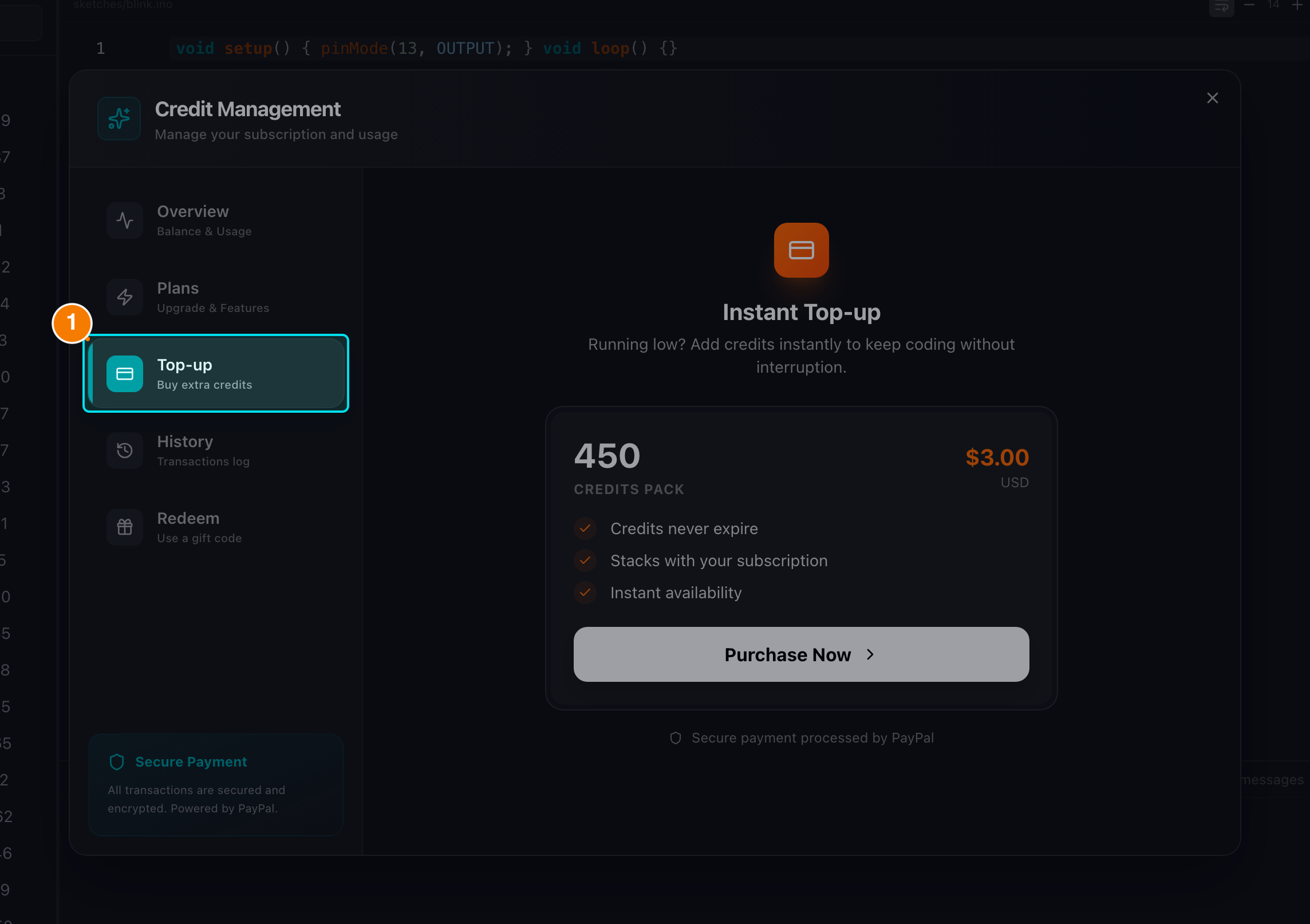
Top-up credits never expire.
If you run out of credits before renewal, the Top-up tab sells extra credits that never expire (150 credits for $3.00 by default; the exact pack is configured per deployment).
History
The History tab lists every credit transaction (AI usage, compilations, renewals, top-ups, gift redemptions).
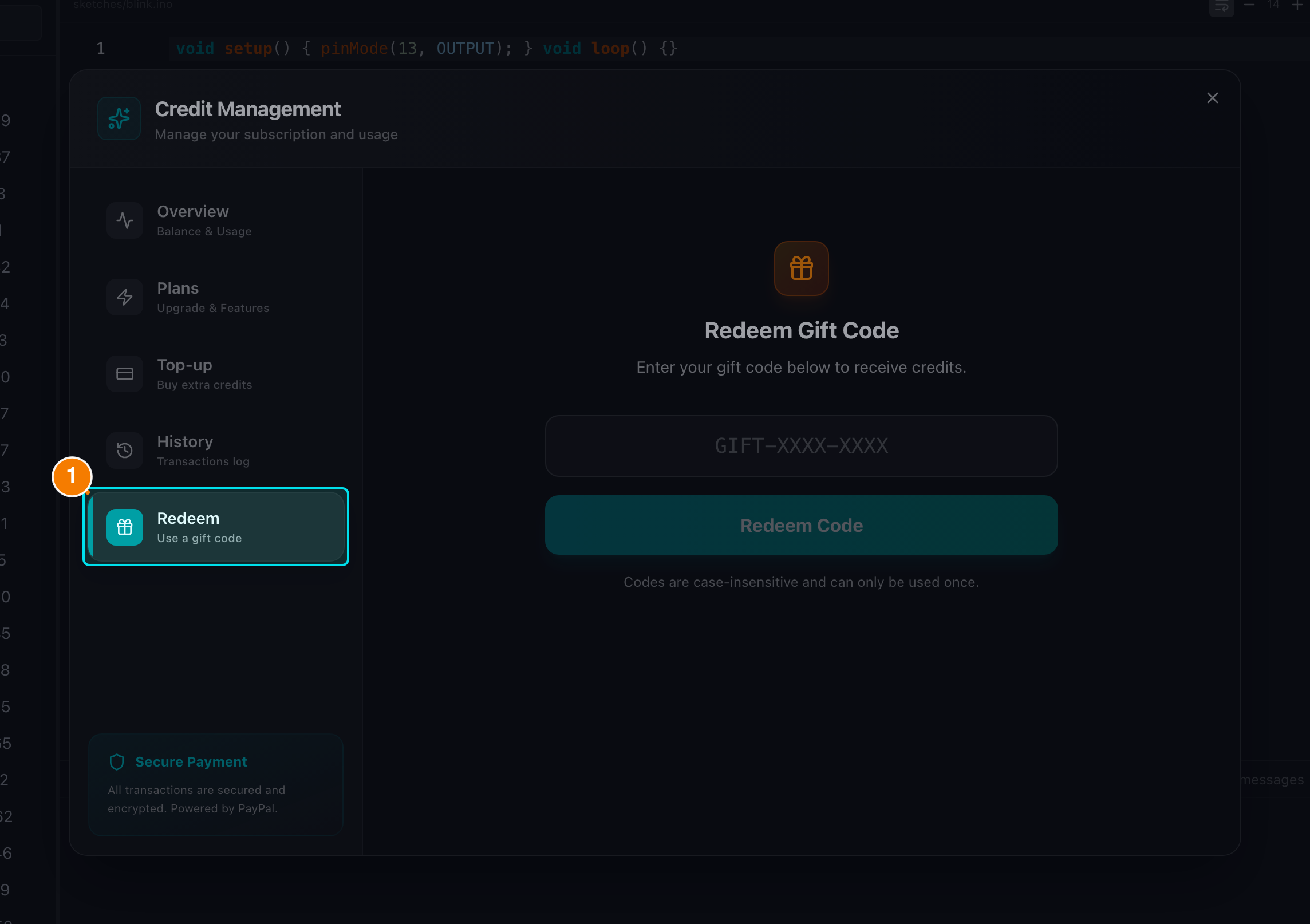
Enter a gift card code to add credits instantly.
3. Gift Cards & Affiliate Program
- Redeem code: in the Redeem tab, enter a gift card code to add credits instantly. Invalid, expired, already-used and exhausted codes each produce a specific error message.
- Affiliate: apply to the Affiliate Program from the avatar menu to get a referral link and earn commissions. Applications are reviewed by the Admin team.
Cost summary
- AI chat (Code / Ask / Debug): 1 credit per message
- Architect mode: 2 credits per message
- Code Review: 2 credits per run
- Compile beyond the free quota: 2 credits per compile