
The bottom panel with the Console and Serial Monitor tabs and their dedicated toolbars.
Output Panel (Notification Panel)
The Output Panel reports everything the IDE communicates with the system and the hardware: compilation, firmware upload and Serial traffic.
Location: bottom of the IDE interface.
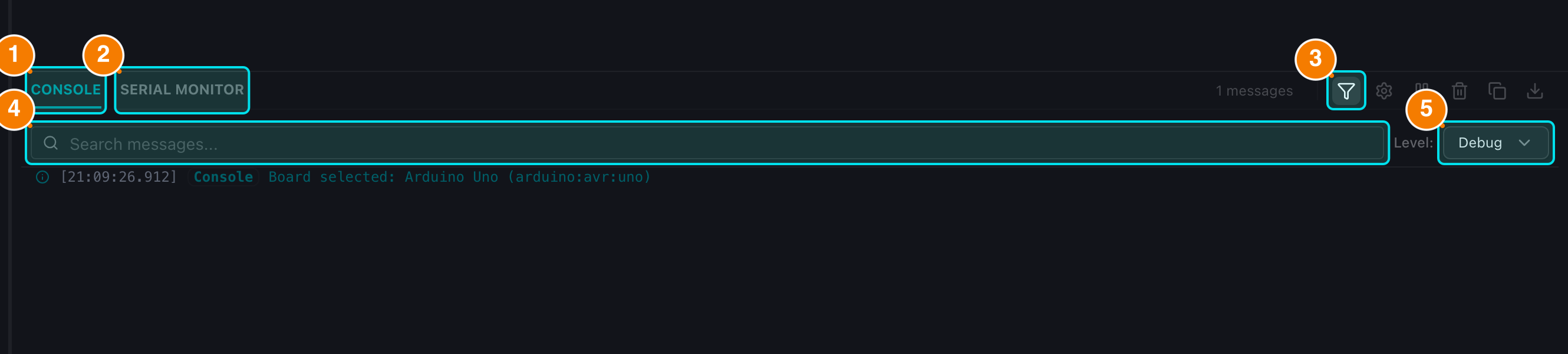
(1) CONSOLE tab. (2) SERIAL MONITOR tab. (3) Filter toggle. (4) Search box. (5) Level filter.
General Structure
The panel has 2 independent tabs:
- CONSOLE: system logs, compiler output and firmware upload status.
- SERIAL MONITOR: real-time communication with the board over the Serial port.
Basic Operations
- Open/Close: click the "OUTPUT" title bar or the chevron to collapse/expand the panel.
- Resize: drag the top border to change the height.
- Switch tabs: click CONSOLE or SERIAL MONITOR.
- Shortcut:
Ctrl/Cmd + Mopens the panel on the Serial Monitor tab.
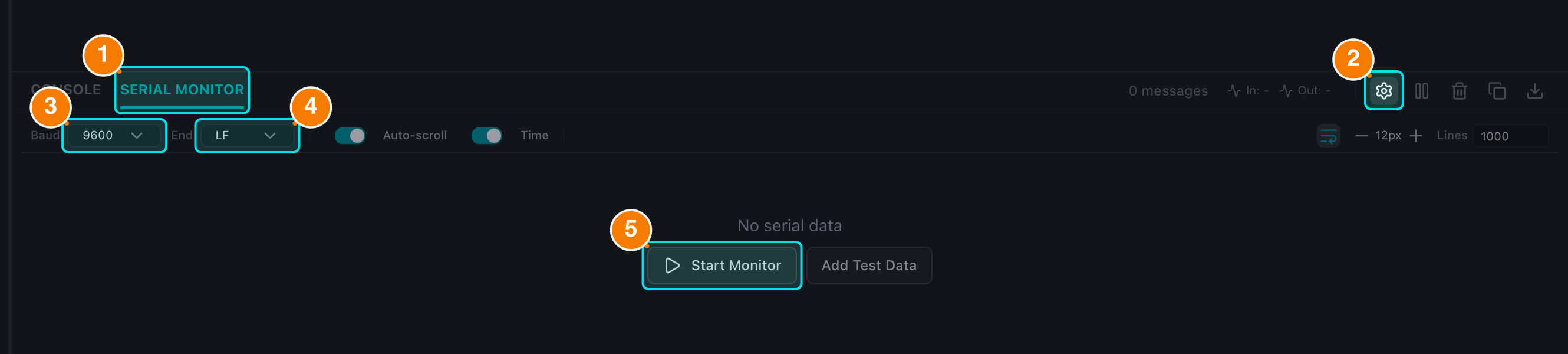
(1) SERIAL MONITOR tab. (2) Settings. (3) Baud rate. (4) Line ending. (5) Start/Stop Monitor.
Tab Toolbars
Each tab has its own toolbar in the right corner; the data of one tab is never mixed with the other.
Console Tab
- Counters: number of errors (red), warnings (yellow) and total messages.
- Search: filter the log by keyword.
- Level filter: Debug (default, shows everything), Info, Warning, Error, Success.
- Pause/Play: pause or resume auto-scrolling.
- Clear: remove all console messages.
- Copy / Export: copy the log to the clipboard or download it as a text file.
- Settings: console display options.
Serial Monitor Tab
- Port@Baud badge: the port and baud rate in use.
- Data rate: real-time throughput (B/s, KB/s).
- Start/Stop Monitor: begin or end the monitoring session.
- Pause/Play: pause or resume auto-scrolling.
- Clear: clear the Serial log only (the Console keeps its own history).
- Copy / Export: copy or download the Serial log.
- Reset Board: send a reset signal to the board (when connected).
- Settings: Baud rate, Line ending, Timestamps, Word wrap, Font size, Max lines.