
Navigate the five Sidebar modules and resize or collapse the panel for more editing space.
Left Sidebar Overview
The left Sidebar manages all of your project resources: files, templates, libraries, boards and shared items.
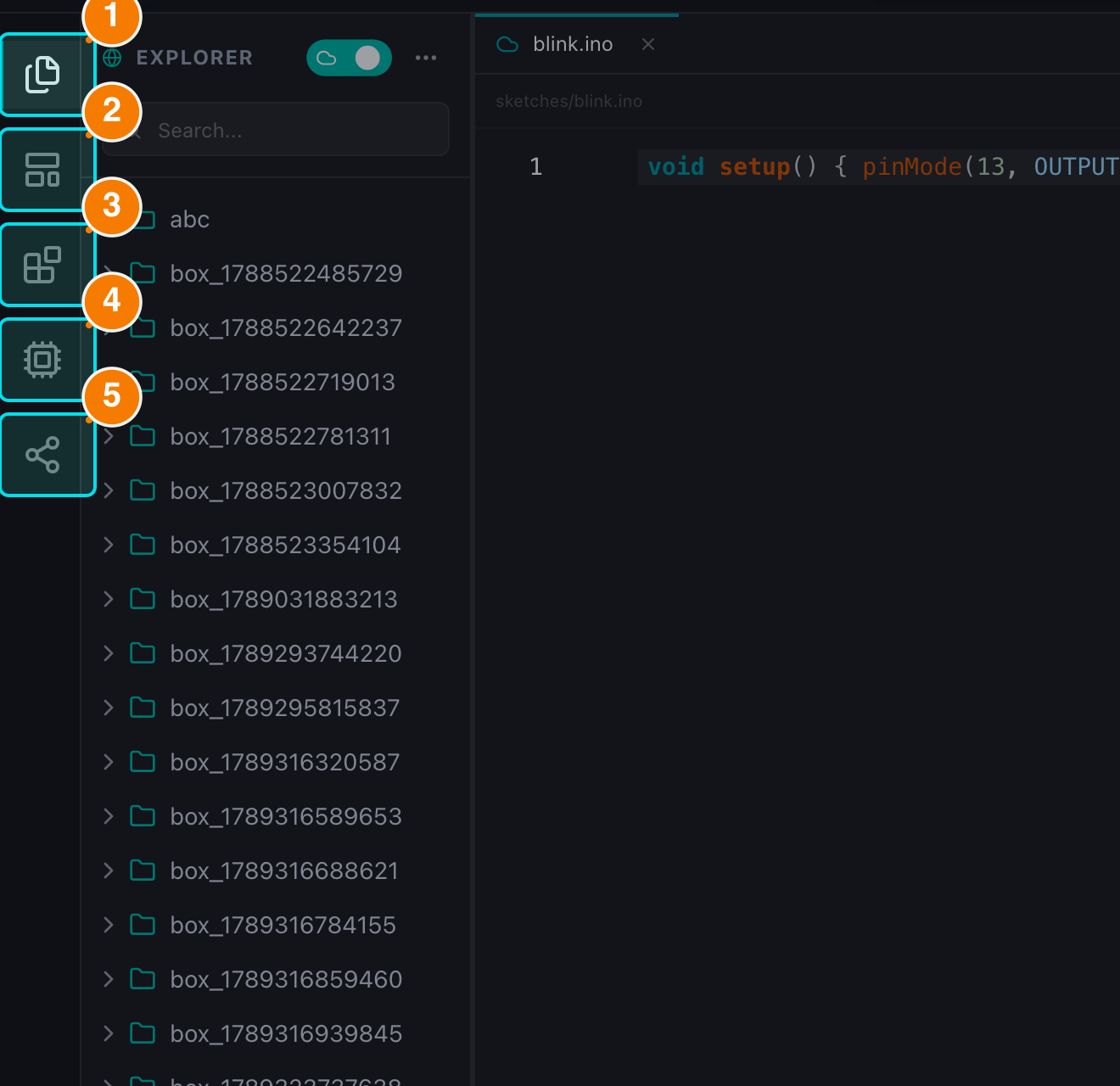
(1) Explorer. (2) Templates. (3) Libraries. (4) Boards. (5) Shared.
Navigation Structure
The vertical icon rail on the far left contains 5 modules. Clicking an icon opens its content in the adjacent panel (only one panel is shown at a time).
| Icon | Module Name | Description |
|---|---|---|
| 📄 (Files) | Explorer | Manage project files and folders. Switch between Local and Cloud modes. |
| 🧊 (Layout template) | Templates | A repository of starter sketches to begin projects quickly. |
| 📦 (Blocks) | Libraries | Search, install, uninstall and upload Arduino libraries. |
| 🖥️ (CPU) | Boards | Install and manage microcontroller cores (AVR, ESP32, STM32...). |
| 🔗 (Share) | Shared | Items shared with you, and items you shared with others. |
General Functionality
- Open/Close: hide or show the whole sidebar with the menu button (☰) on the Header or
Ctrl/Cmd + B. - Resize: drag the right edge of the sidebar to change its width (useful for long file names).
- Responsive: on tablets and phones the sidebar becomes an overlay drawer; tap the dimmed backdrop to close it.