
Save named checkpoints, preview line-by-line diffs and safely restore previous versions of a file.
Version History
Auto-save protects your code against accidental loss. Version History goes further: it lets you save named checkpoints and restore them later.
Saving a Version
Two ways to create a checkpoint:
- Click the Save Version button (branch icon, orange) on the right side of the tab bar.
- Press
Ctrl/Cmd + Shift + S.
In the Save Version dialog, give the version a name (e.g., "Stable build V1") and confirm. The shortcut opens the checkpoint dialog only — it does not trigger a normal save. On macOS the dialog shows ⌘ + Enter as the submit shortcut; on Windows/Linux it shows Ctrl + Enter.
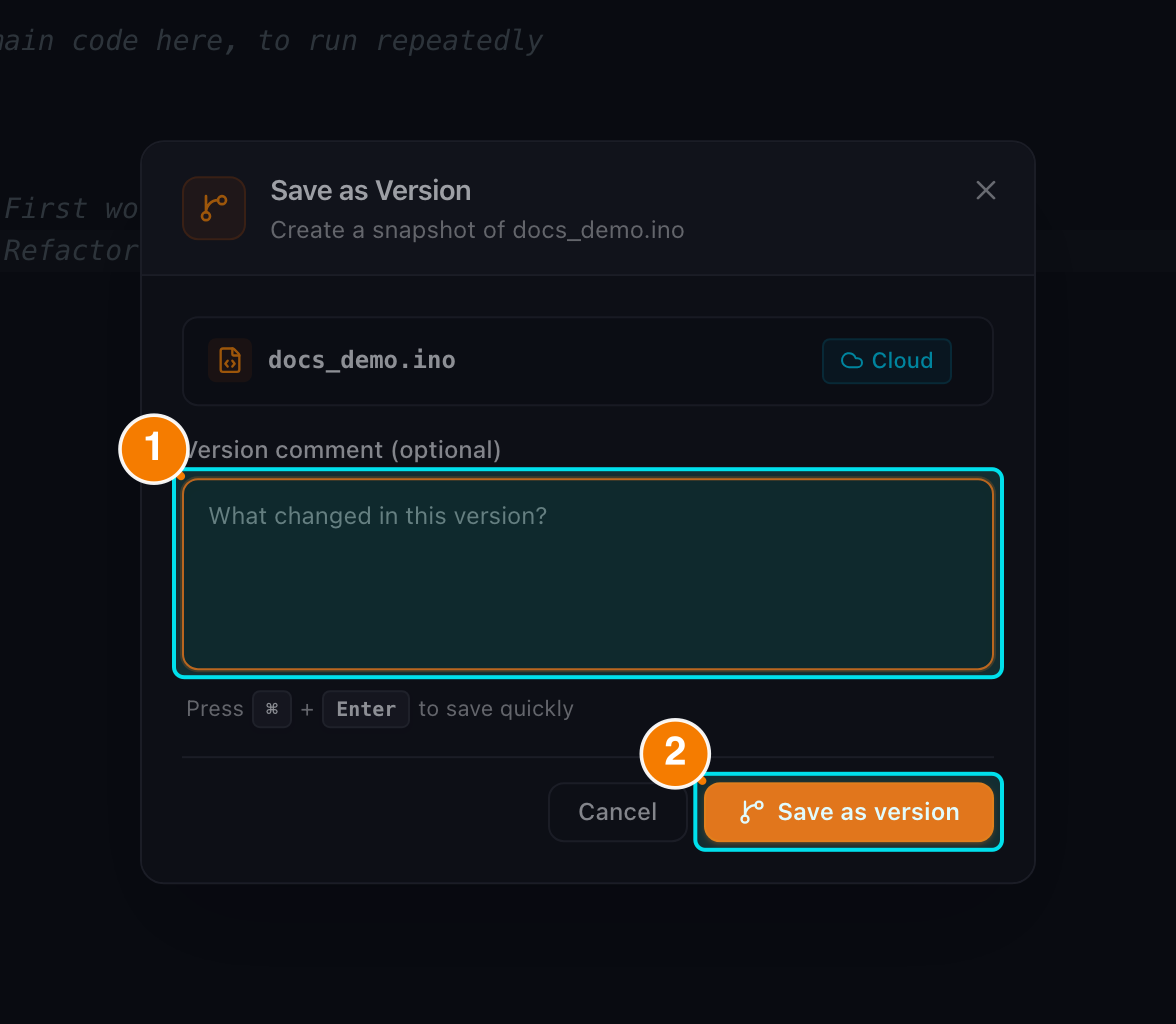
(1) Version name. (2) Save Version.
Viewing & Restoring History
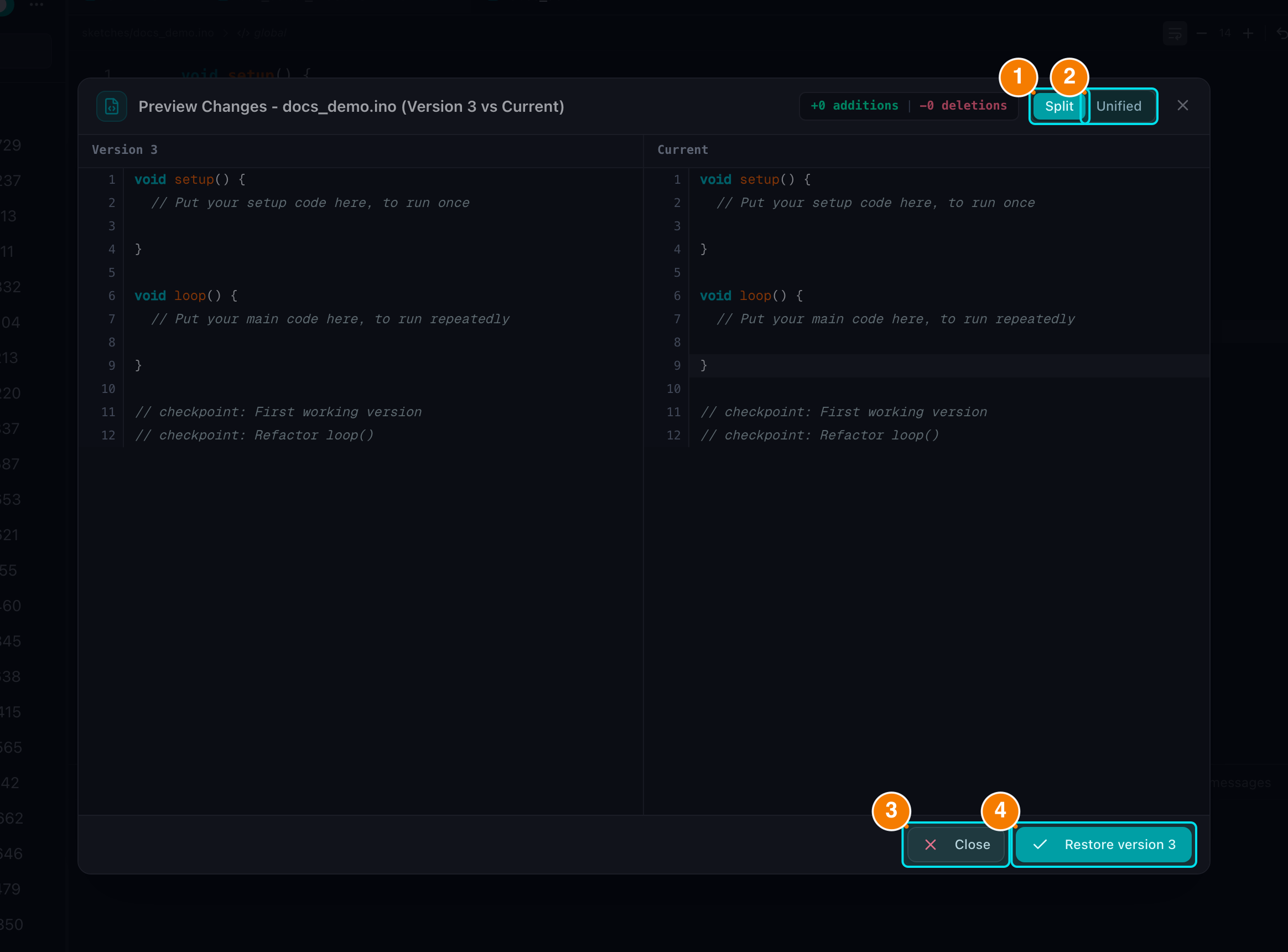
(1) Split view. (2) Unified view. (3) Reject. (4) Accept.
- Open Version History: click the History icon (clock) on the tab bar. A modal lists every saved version of the file with its name, timestamp and size; the newest is tagged Latest.
- Preview Diff: click the eye icon on a version to open the diff preview, which supports two layouts — Split view (two columns) and Unified view (one column) — with inserted/removed line counts and Arduino syntax highlighting.
- Restore: press the teal Restore version button in the diff modal (or the ↺ icon on the version row). A confirmation dialog appears whose secondary action is View Diff — useful when you want one last comparison before committing.
- Confirm: the selected version is loaded back into the current editor tab, saved automatically and the tab returns to a clean state (no orange dot). Other versions remain in the history.
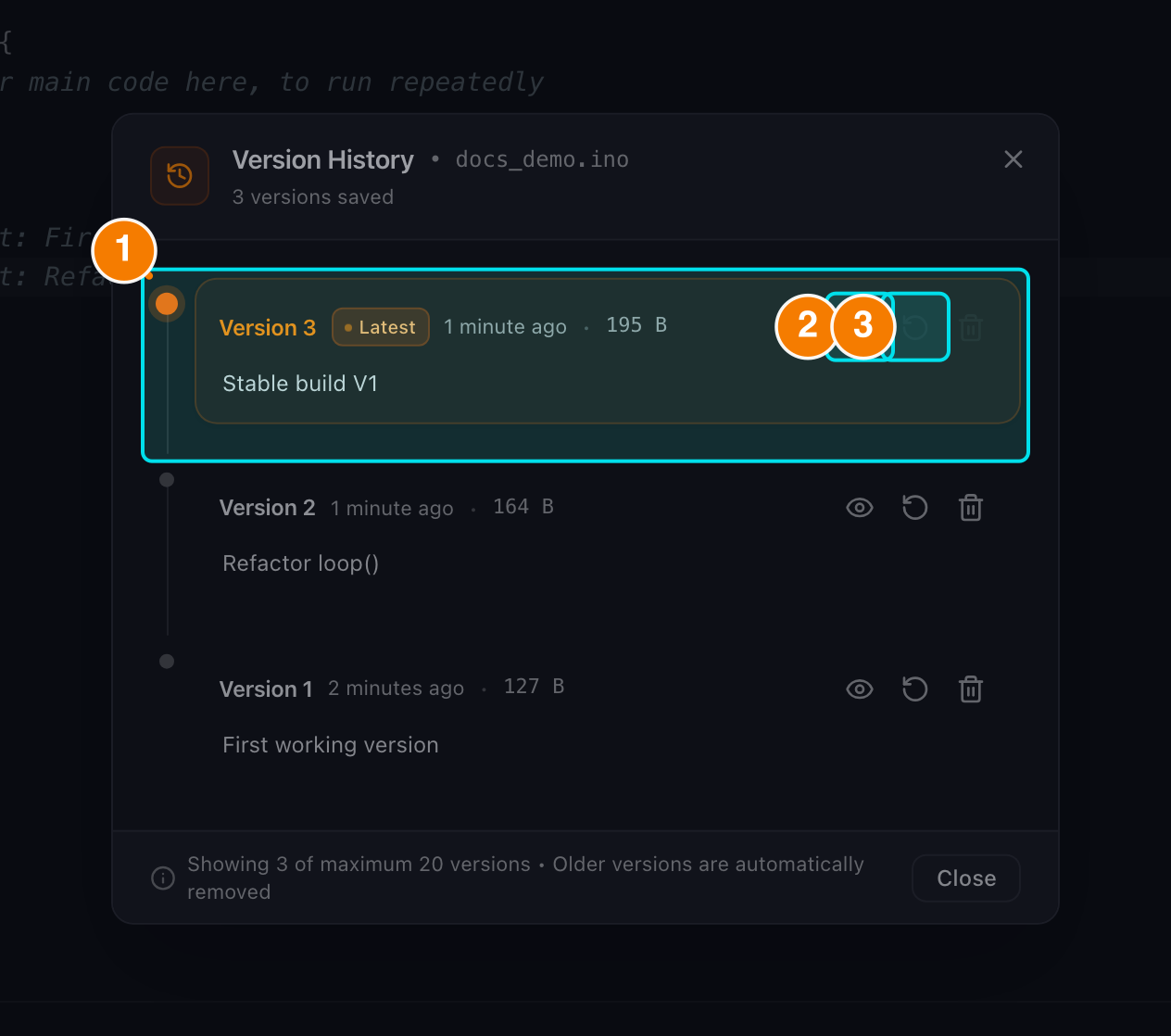
(1) Saved version. (2) View diff. (3) Restore.
When to Use It
- Before a large refactor or an experiment you may want to undo.
- When the sketch reaches a stable milestone ("Version 1.0").
- When you want to compare what changed between two working states.
Note: Version History is separate from auto-save. Auto-save keeps your latest content; version checkpoints are the named points you can always return to.
You have now mastered the basics of the Editor. Combine this knowledge with the Goki Assistant to optimize your workflow.