
How the assistant reads the active file, @ function mentions, safe apply and diff, RAG and local privacy consent.
Context Awareness Feature
The real power of Goki Assistant is understanding your project without copy-pasting code.
1. Understanding the Active File
When a file is open (e.g., main.ino), the AI reads it as context.
- Ask "What does the
setupfunction do?" without pasting the code. - Switching tabs updates the context automatically.
- The input bar shows the active file name so you always know which file the AI is reading.
- Chat history is isolated per file and per workspace — conversations never leak between files.
2. @ Function Mention
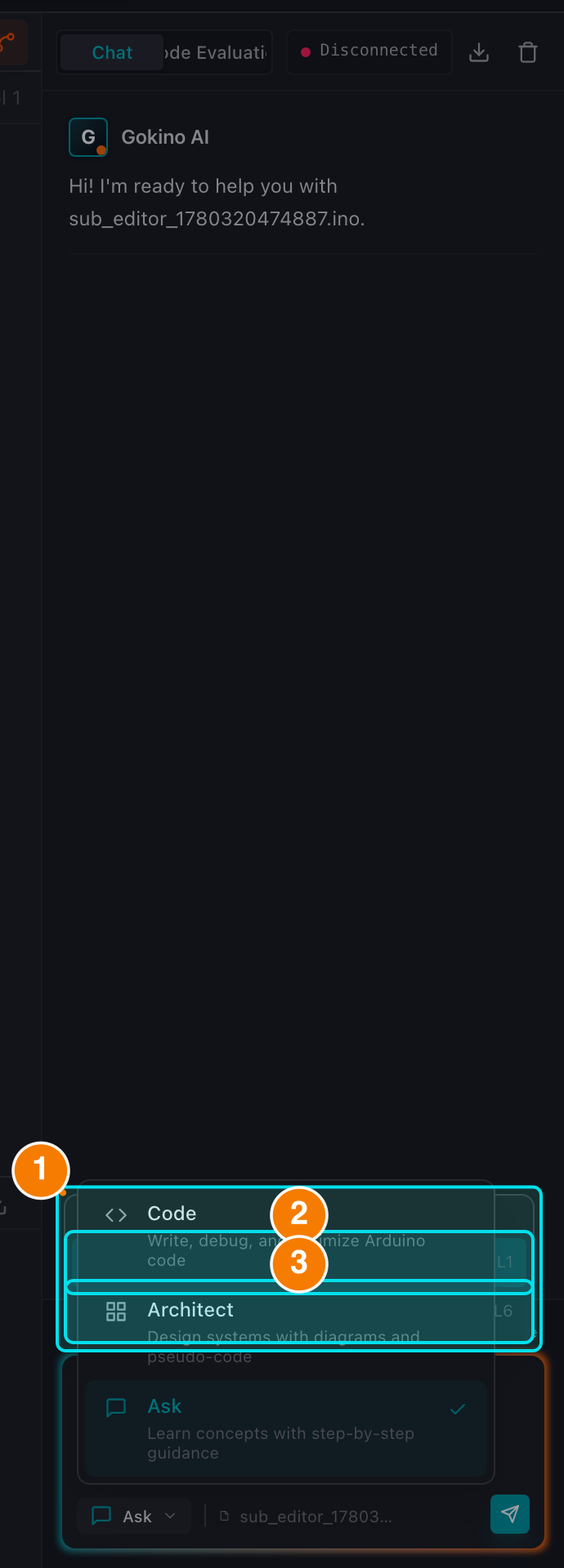
(1) Function list. (2) setup(). (3) loop().
Reference a specific function instead of sending the whole file:
- Type
@in the chat box; a list of functions in the open file appears (with line numbers). - Selecting a function attaches a chip with the file name and line range (e.g.,
main.ino: 21-35). The AI receives the exact function body. - Remove a chip with its
×to stop sending that code. - Very long functions are truncated automatically (first and last lines) to stay within the prompt budget.
3. Code Actions
When the AI returns a code block you get:
- Copy: copy the snippet to the clipboard.
- Apply (full-file): opens a diff preview showing the line-by-line changes before anything is written. Choose Accept or Reject.
- Smart Patch (⚡): for local changes (a variable, one statement or a single function), the patch is applied only to that section — globals,
setup()and other functions stay untouched. - Snippet blocks: short AI fragments are labeled as snippets and can only be copied, never applied to the whole file.
- Multi-file projects: when the AI generates several files, a Review Project Changes banner opens a modal where you inspect each file (with
[+ NEW]labels) and accept them together.
The Apply pipeline never writes silently. A preview is always shown first — this is the core safety guarantee against losing code.
4. Related Code Suggestions (RAG)
After answering, the assistant can suggest related snippets found in your workspace (hybrid BM25 + vector search). This helps you discover existing logic for reuse. Low-similarity matches are filtered out to avoid distracting the model.
5. Privacy for Local Files
When the active file belongs to a Local folder:
- A Local Code Privacy panel appears above the chat.
- Local code is uploaded for indexing only after you tick the consent checkbox; consent is remembered per user account and can be revoked at any time, immediately aborting in-progress indexing.
- Paths and payloads sent for indexing are sanitized: absolute paths from your machine and credentials are never included.
- The Delete uploaded code context action clears the cloud-side index without touching the files on your disk.