
Browse starter sketches by category, preview the source and create a new sketch from a template.
Templates
To avoid writing everything from scratch, Gokino ships a repository of example sketches (Templates) covering common scenarios.
Icon: 💠 (Layout template)
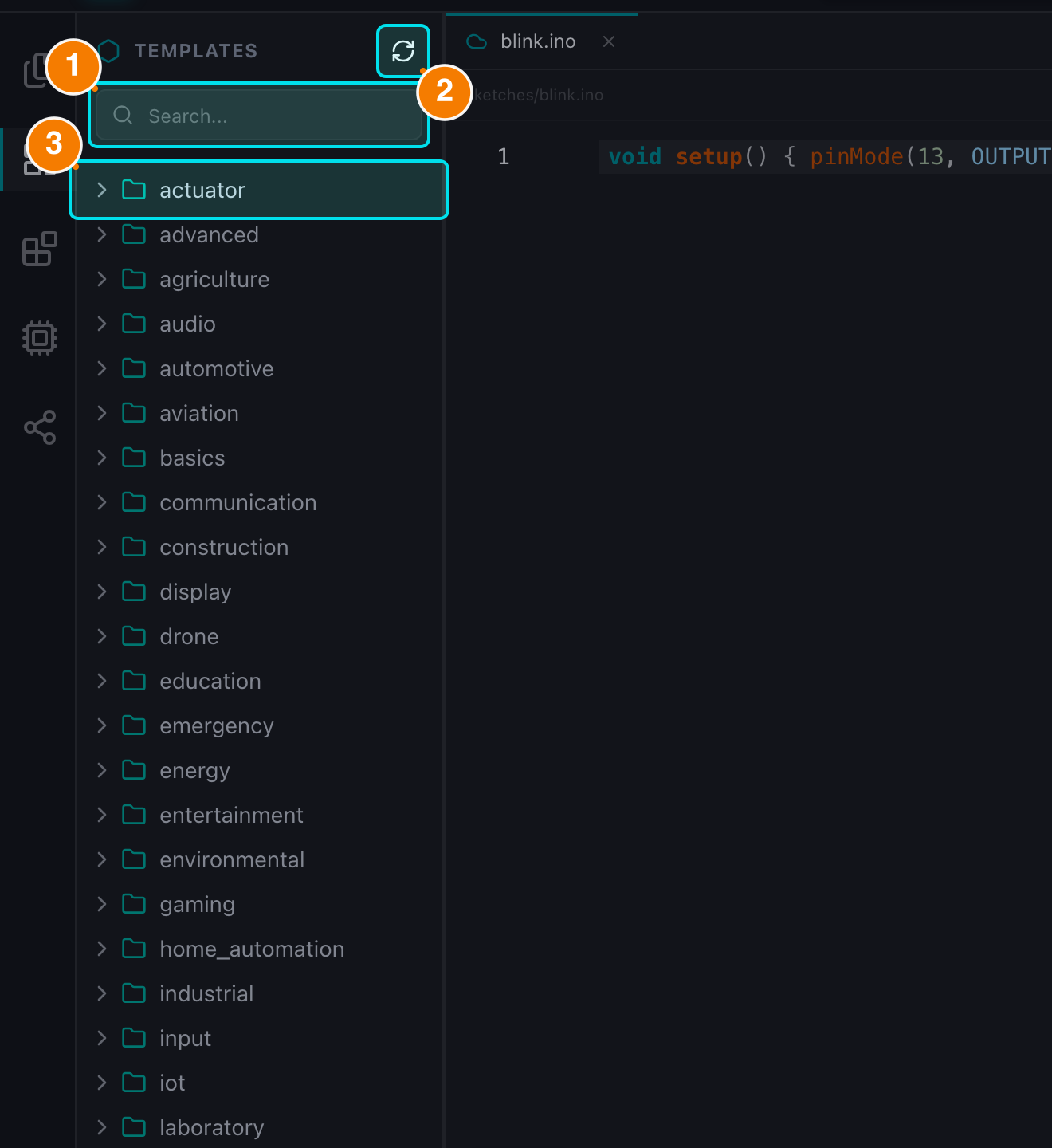
(1) Search templates. (2) Refresh list. (3) Category folders.
Usage
- Browse categories: templates are grouped by topic, for example:
- Basics: Blink, Button, Analog read...
- Sensors: temperature, distance, light...
- Motors: Servo, Stepper...
- Communication: Serial, I2C, SPI...
- Display: LCD, OLED...
- Preview: click a template to open the preview modal with the full source code.
- Create the sketch: choose a name and destination folder, then confirm. The new
.inofile is created in the workspace and opened in the Editor.
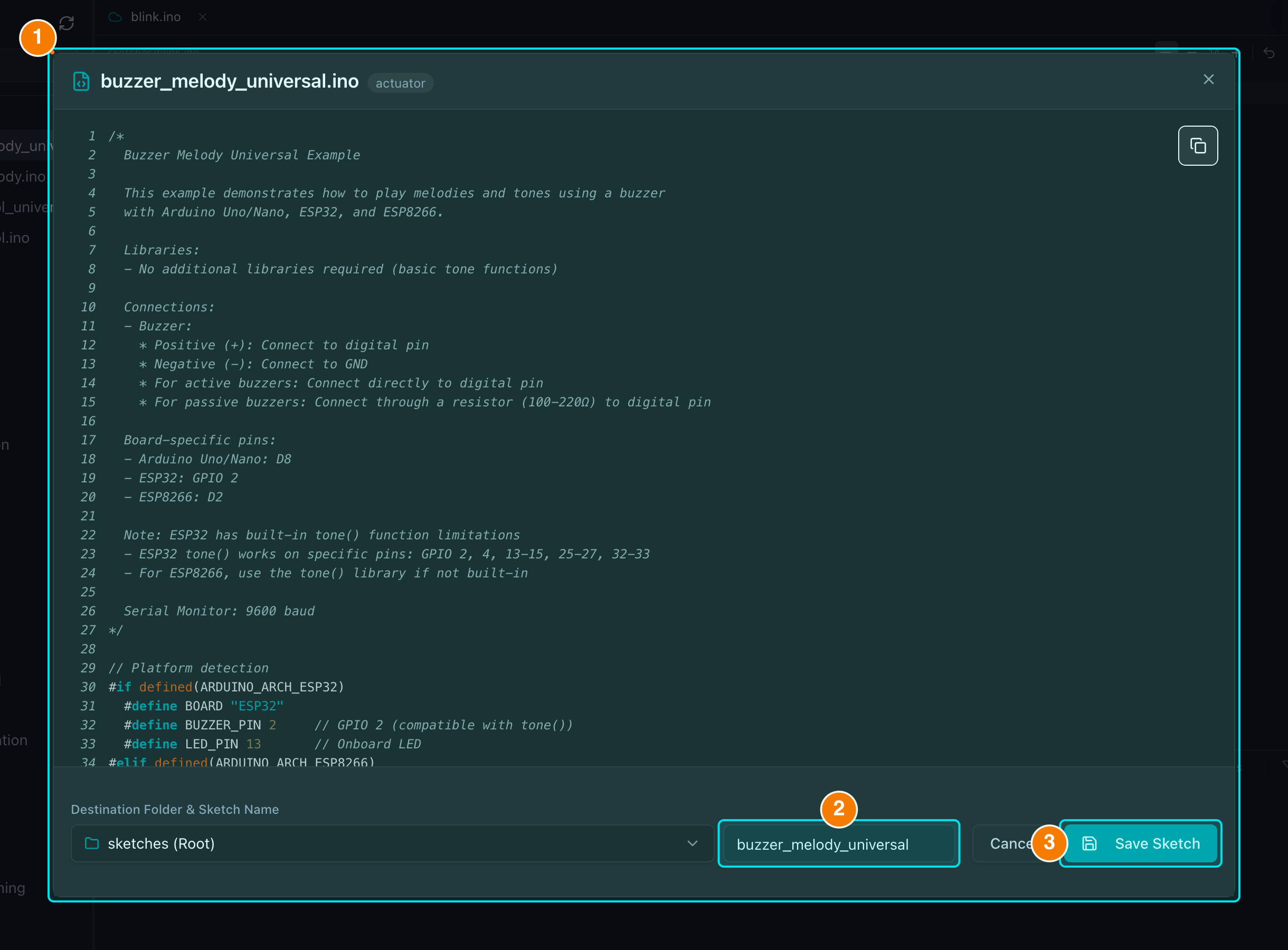
(1) Source preview. (2) Sketch name. (3) Save Sketch.
Notes
- File rules: only
.ino(or.mdfor documentation templates) names are accepted; other extensions are rejected. If a sketch with the same name already exists in the folder, the creation is blocked so nothing is overwritten. - Offline behavior: the template list is cached; when the network is unavailable Gokino shows an offline warning and uses cached data where possible instead of failing silently.
- Templates are created as normal files, so you can edit them, checkpoint them with Version History and share them like any other sketch.