
Syntax highlighting, IntelliSense, live diagnostics, auto-save, formatting and the Arduino diagram view.
Code Editor
Gokino uses CodeMirror 6 to provide a professional programming experience directly in the browser, optimized for Arduino C/C++ code.

(1) Open tab. (2) Second tab. (3) Save version. (4) Version history.
Key Features
1. Syntax Highlighting
The editor highlights C/C++ and Arduino syntax with the Lezer grammar.
- Keywords:
void,int,if,else,HIGH,OUTPUT... - Auto-completion (IntelliSense): suggests functions such as
digitalWrite(),Serial.begin(),pinMode(). - Error detection (linting): live syntax problems appear as red squiggles. After a Verify, GCC compiler errors are mapped back onto the exact line and column (hover for the message).
2. Auto-Save
You do not need to save manually after every edit.
- The file is saved automatically after a short idle period.
- While a file has unsaved changes, the tab shows an orange dot. Pressing
Ctrl/Cmd + Ssaves immediately and clears the dot. - Closing a modified tab always asks for confirmation: Cancel, Don't Save or Save.
3. Formatting
Press Shift + Alt + F to auto-format the document. The formatter re-indents blocks inside {} and normalizes spacing without changing the logic or losing characters.
4. Common Shortcuts
| Shortcut | Action |
|---|---|
Ctrl/Cmd + S | Save |
Ctrl/Cmd + Z | Undo |
Ctrl/Cmd + Shift + Z / Ctrl + Y | Redo |
Ctrl/Cmd + F | Find |
Ctrl/Cmd + H | Replace |
Shift + Alt + F | Format document |
Alt + Click / Option + Click | Add a multi-cursor |
Ctrl/Cmd + / | Toggle AI Assistant |
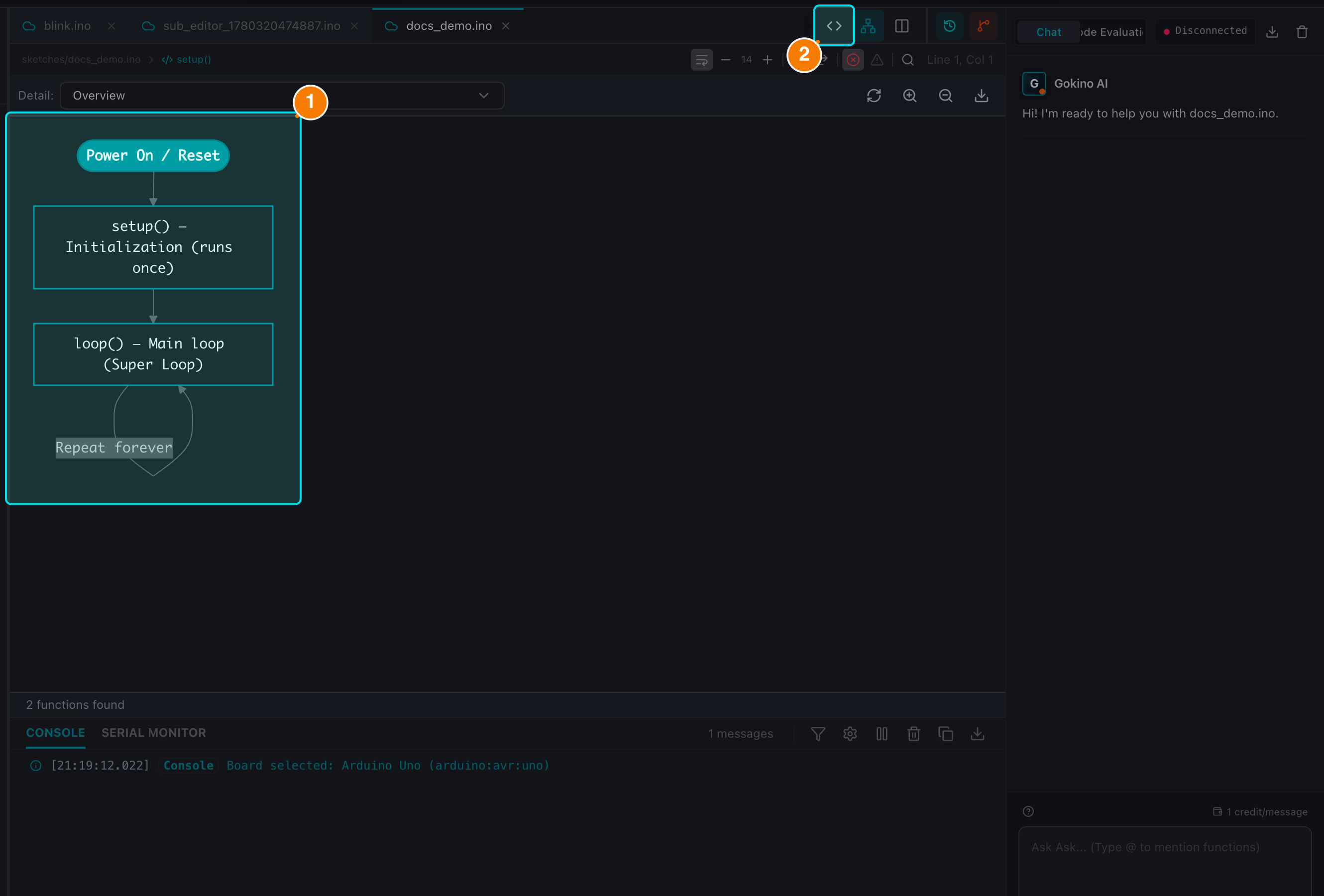
(1) Auto-generated diagram. (2) Switch back to Code view.
5. Arduino Diagram
The IDE parses the sketch with the Tree-sitter C++ grammar and draws a flow diagram.
- Automatic updates: the diagram follows the logical structure of the code and calculates cyclomatic complexity.
- Interactivity: zoom in/out and export the diagram as an SVG file.
- Click-to-jump: click a node in the diagram to move the cursor to the matching line in the editor (and vice versa in Split View).