
The Header is the command center: hardware connection, build actions, debugging tools and account management.
Introduction to Header
Welcome to the Header guide of the Gokino IDE!
The Header is your "Command Center". It is fixed at the top of the IDE and gives you quick access to the most important tools wherever you are in your project.
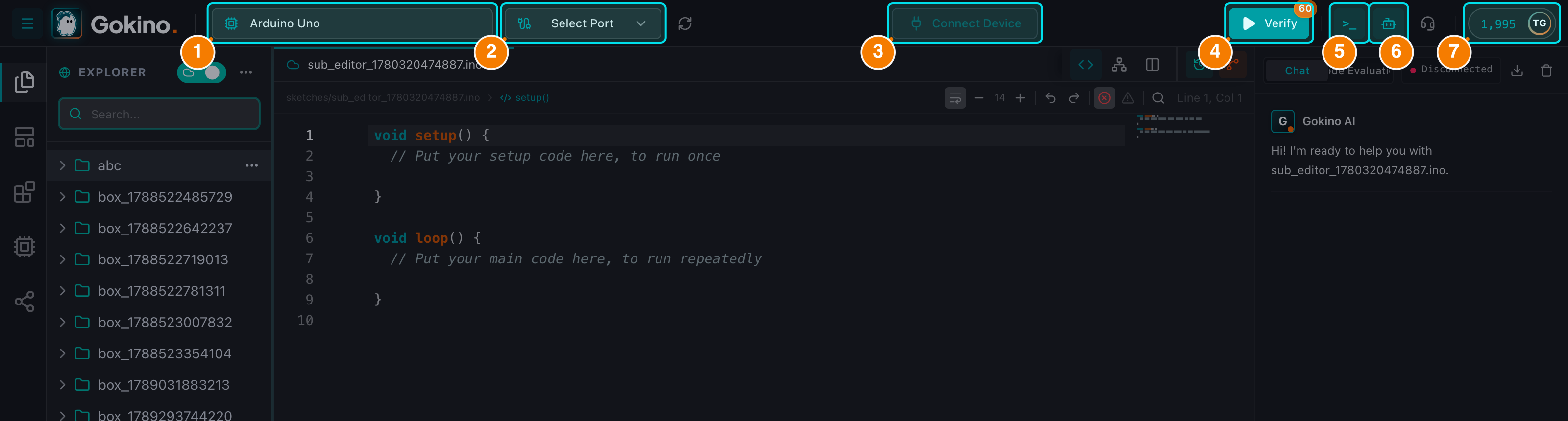
(1) Board selector. (2) Port selector. (3) Connection status — hover for Disconnect.
Key Roles of the Header
- Hardware connection: select a board (Arduino Uno, ESP32, STM32...) and connect a port through WebSerial.
- Build operations: Verify (compile) and Upload the firmware, with a live free-quota badge.
- Debugging & help: open the Serial Monitor, call the AI assistant or open the in-IDE Support panel.
- Account management: track your credit balance, manage your subscription and redeem gift cards.
This guide covers each area in detail.