
Code, Architect and Ask modes plus the seven slash commands, including /wiring and /simulate.
Chat Modes & Slash Commands
Goki Assistant works in several internal modes. Slash commands automatically switch to the most suitable mode for the task.
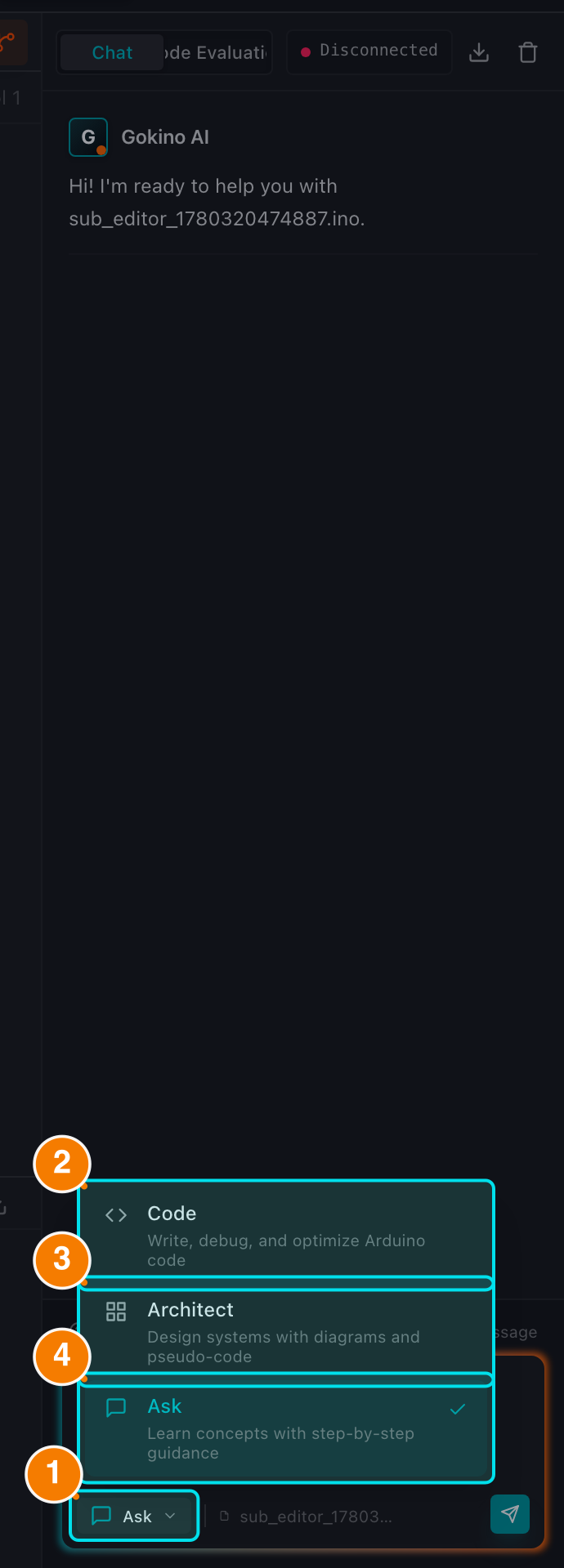
(1) Current mode. (2) Code. (3) Architect. (4) Ask (default).
Chat Modes
The mode selector offers 3 modes:
1. 💻 Code
- Purpose: write, modify and optimize source code.
- When to use: new functions, features or refactors. The AI focuses on producing accurate code blocks that can be previewed and applied to the editor.
2. 🏗️ Architect
- Purpose: planning and design before coding.
- When to use: project structure, module breakdown, hardware selection or wiring strategy. The
/wiringand/simulatecommands run in this mode.
3. ❓ Ask — default
- Purpose: explaining, debugging and answering questions.
- When to use: understand how code works, look up Arduino/C++ behavior, or interpret an error log. This is the default mode when you open the assistant.
Debug mode is not in the selector: when you press Fix with AI on a compilation error in the Console, the assistant automatically switches to Debug for a focused root-cause analysis and then returns to normal.
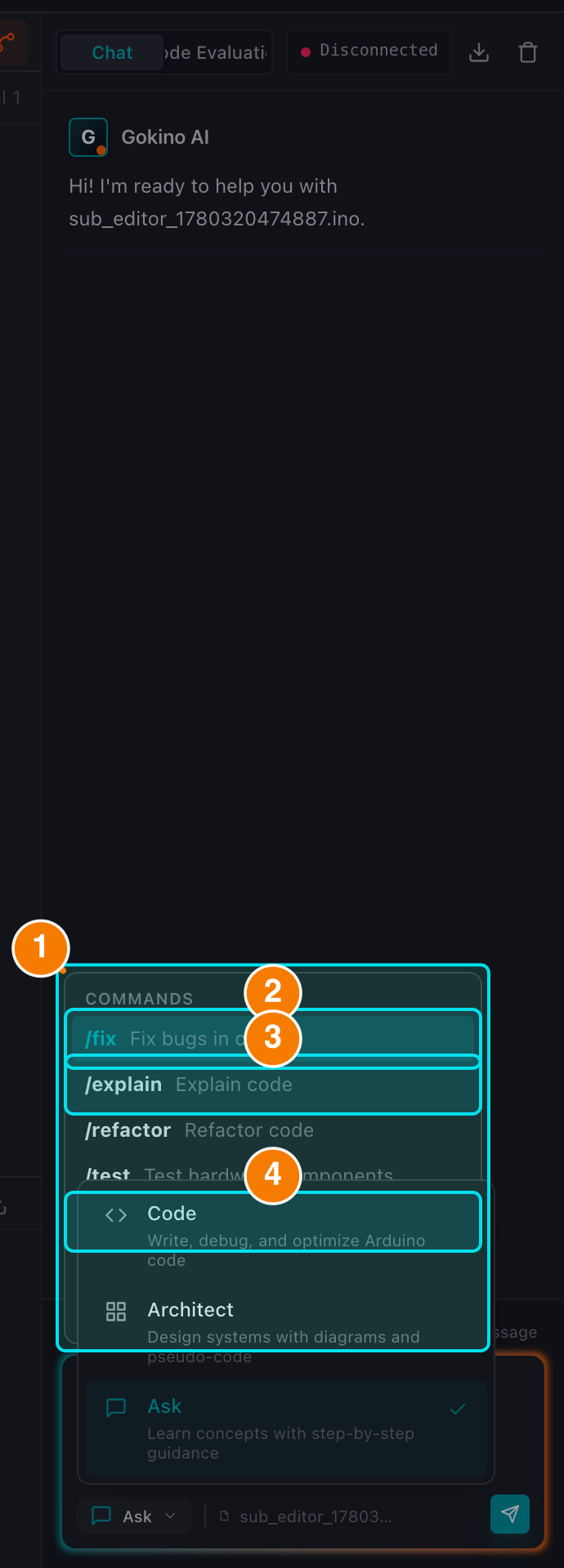
(1) Command menu. Examples: (2) /fix, (3) /explain, (4) /wiring.
Slash Commands
Type / in the chat box to open the command menu:
/fix— find and fix bugs in the current code./explain— detailed explanation of the open file (or the selected code)./refactor— restructure the code to be cleaner and more efficient./test— identify the hardware used and produce a wiring table plus a minimal test sketch for each component./wiring— generate an interactive circuit diagram and a hardware wiring table. When you name specific components, the AI focuses only on them and does not read unrelated code./comment— add detailed inline comments without changing the original code./simulate— produce a component list, a complete connection table and a step-by-step description of how the circuit behaves.
Commands can be selected with the mouse or with ↑ / ↓ and Tab.
Tip: use
Shift + Enterto insert a new line for long, multi-paragraph requests.